Add account
Step 1 — Choose Your Authentication Method
Section titled “Step 1 — Choose Your Authentication Method”You can now connect to Mirakl using either an API Key or OAuth 2.0.
OAuth 2.0 is the recommended method for improved security and easier credential management.
Option 1 — API Key Authentication
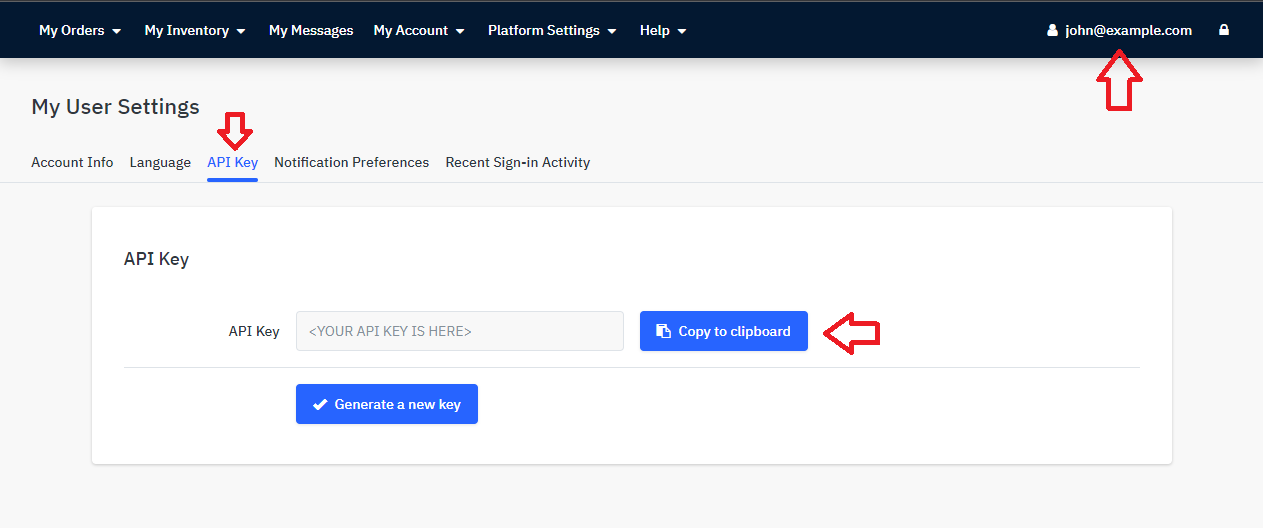
Section titled “Option 1 — API Key Authentication”To generate the Mirakl API Key (See screenshot below):
- Log into your desired Mirakl account: https://[ACCOUNT].mirakl.net/mmp/shop/user/api
- Click on your email address on the top right corner
- Select the tab ‘API Key’
- Copy your API Key
Option 2 — OAuth 2.0 Authentication (New)
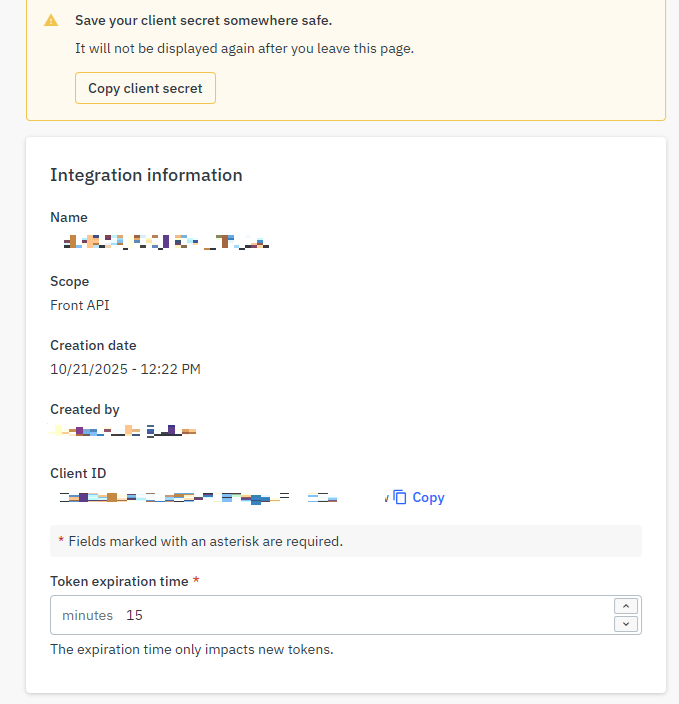
Section titled “Option 2 — OAuth 2.0 Authentication (New)”If your Mirakl instance supports OAuth 2.0, you can authenticate using your Client ID and Client Secret instead of an API key.
You’ll need to provide:
| Field | Description |
|---|---|
| Client ID | The client identifier generated in your Mirakl developer portal. |
| Client Secret | The secret associated with your Client ID. |
| Target Environment | The Mirakl environment you wish to connect to (e.g., development, pre-production, production). |
📘 How to generate your Client ID and Secret:
Follow Mirakl’s official guide here:
👉 Generate Access Tokens and Client Credentials
Step 2 — Create a New Mirakl Account
Section titled “Step 2 — Create a New Mirakl Account”To create a new Mirakl account, follow the steps below:
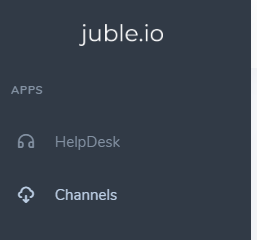
- Sign in to your Juble.io account using your credentials.
- In the main menu, go to the “Channels” section.
3. Enter the desired information regarding, the name of the account, the Mirakl URL and the API Key
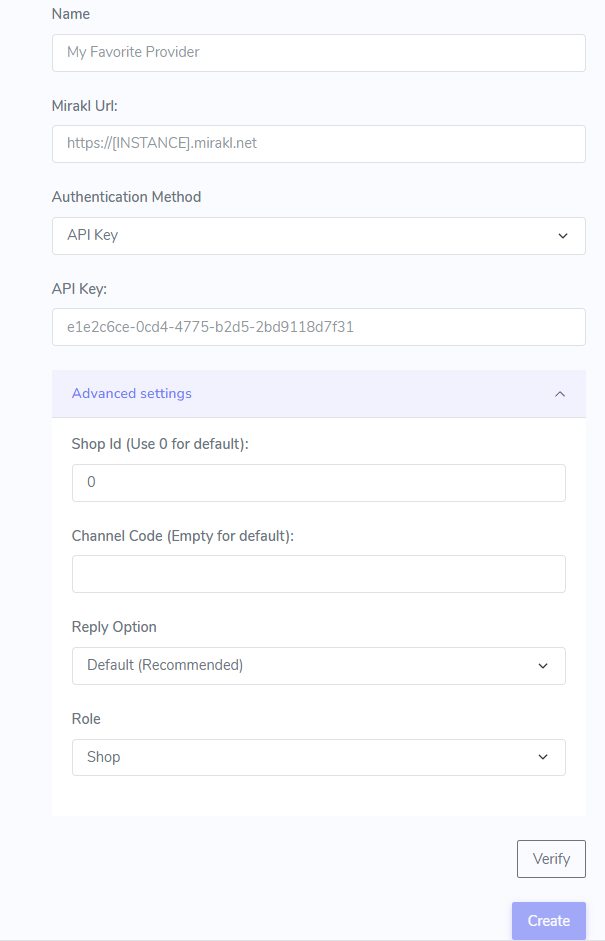
4. Verify the connection and Save the information