Zendesk token
The Zendesk Token is a crucial component of your Juble.io integration. It allows for the seamless exchange of information between Zendesk and your Juble.io account, ensuring efficient communication and support operations.
Prerequisites
Section titled “Prerequisites”You need an active Juble.io account:
Ensure that you have successfully linked your Zendesk account with your Juble.io profile. If you haven’t done this, you can follow the steps provided in our documentation to link your Zendesk account.
Access the Zendesk Token
Section titled “Access the Zendesk Token”- Log in to your Juble.io account.
- Navigate to the “Helpdesk” menu.
- From the dropdown, click on the “Settings” section.
- In the Settings, you will find the Zendesk Token. This token is a secure key that facilitates communication between Zendesk and your Juble.io account.
Add the token in Zendesk
Section titled “Add the token in Zendesk”To add the token in Zendesk, follow the steps below:
- Sign in to your Zendesk Support account
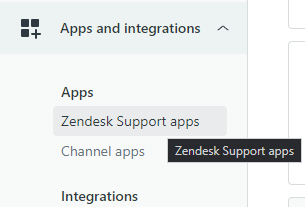
- Go to your Zendesk Admin Center and click on the Zendesk Support apps menu.
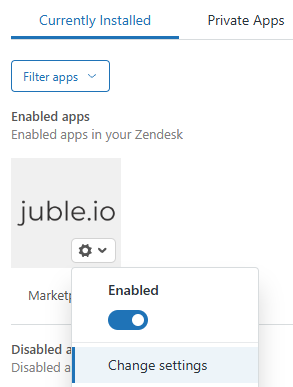
- Select the Marketplaces application from the available options. Click on ‘Change settings’ to configure the integration.
- Locate the ‘Juble.io Token’ field. Insert the token you obtained in the previous step (Prerequisites).
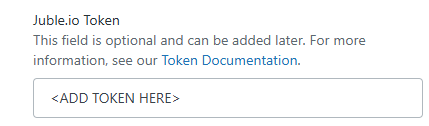
- After inserting the token, click ‘Save’ to confirm your settings.