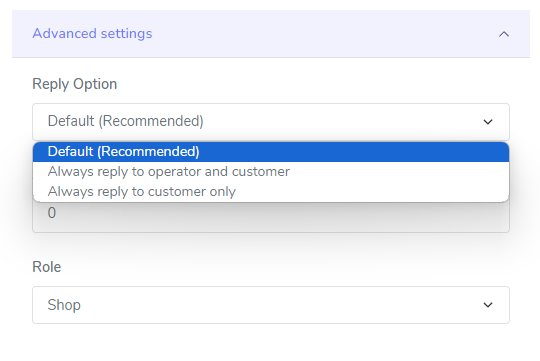
Advanced settings
The Mirakl app provides advanced settings for customizing your message handling preferences.
Reply option
Section titled “Reply option”- Default:
- When a customer sends a message to the shop, the reply is sent to the customer with the operator copied.
- When the operator sends a message to the shop, the reply is sent to the operator only, without copying the customer.
- If the operator sends a message to the shop with the customer copied, the reply is sent to both the operator and the customer.
- Always Reply to Operator and Customer: Messages are always replied to both operators and customers, ensuring both parties stay informed.
- Always Reply to Customer Only: Messages are exclusively replied to customers, limiting operator involvement.
- Always Reply to the Last Author Only: The reply goes only to the author of the most recent message in the thread that didn’t come from your shop (the customer or the operator).
- Always Reply to Current Participants: The reply goes to everyone currently taking part in the thread, except your shop (for example, both the customer and the operator).
- Always Reply to Shop Only (Operator only): Only available when your account role is Operator. The reply goes to the shop only, without copying the customer. With any other option, an operator’s reply goes to both the shop and the customer.
Shop id
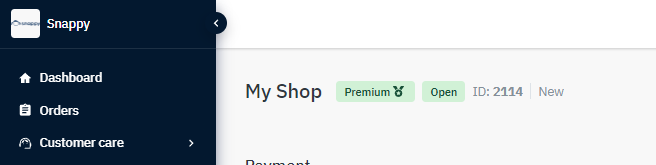
Section titled “Shop id”Set your Shop ID to make sure messages are directed to the right shop. Leave this field empty if you only have one shop for this API key.
If several shops share the same API key, add each shop as a separate channel with the same API key, and fill in the Shop ID to tell them apart.

To find you shop id, you can log into your Mirakl instance and it will be display on the dashboard page:
Channel Code
Section titled “Channel Code”- Used to identify specific sales channels within your Mirakl account.
- Leave empty for single-shop accounts.
- Enter channel code for multiple shops (e.g., FR for France, ES for Spain).

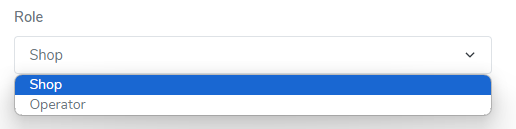
Specify your role as an Operator or Shop. This helps the app adapt its message handling to your specific needs. Messages are imported differently based on your chosen role.
Custom Tags
Section titled “Custom Tags”- Custom tags: Add custom tags to your tickets for easy categorization and filtering. (space separated tags)

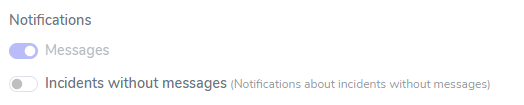
Notifications
Section titled “Notifications”- Incident without messages: Enable or disable notifications for incidents without messages.